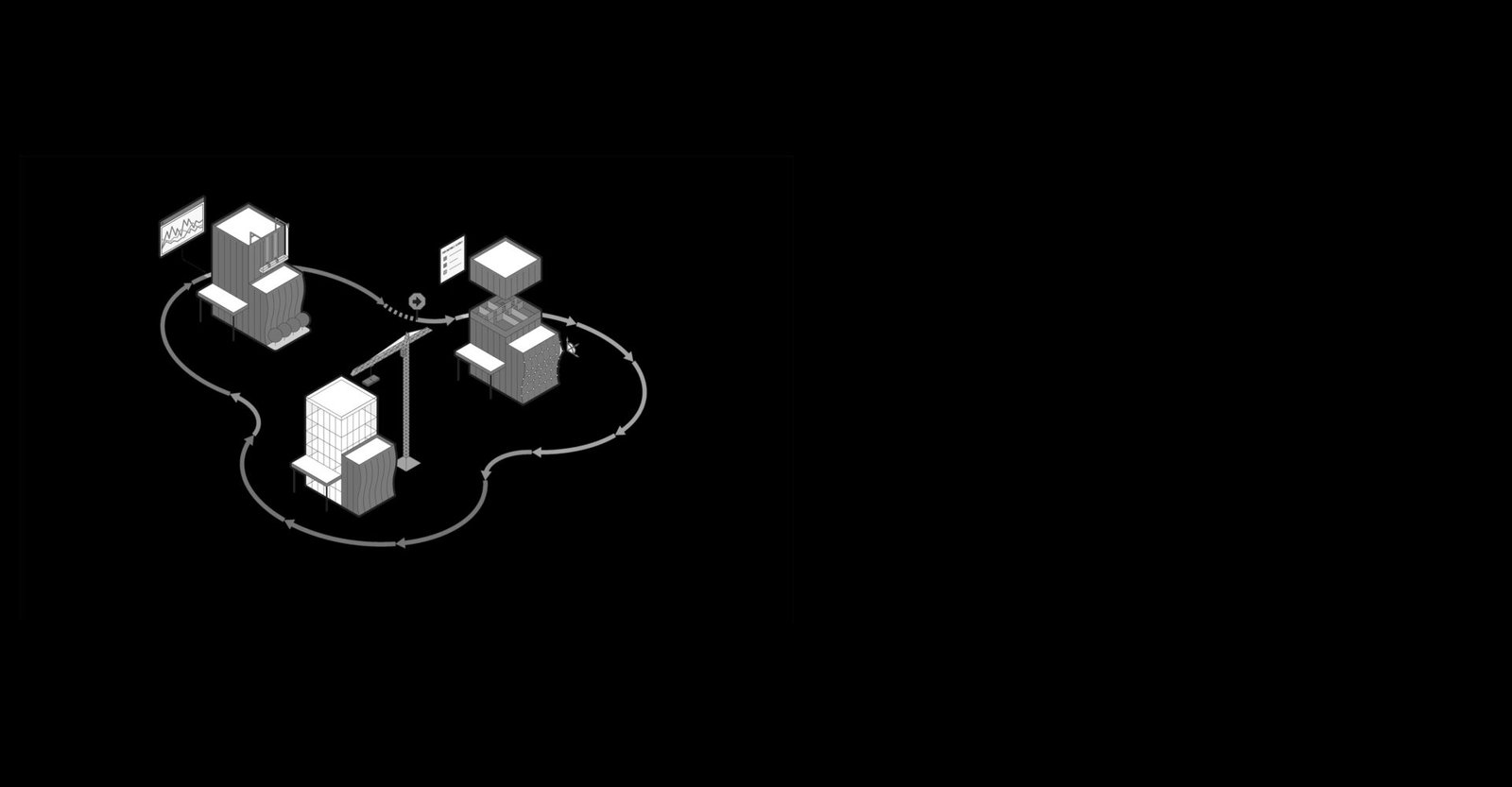
Grasping the stages of a project in construction is vital for effective AEC delivery. The industry divides construction into phases, each with key deliverables. Autodesk BIM workflows enhance collaboration, cut rework by 25-30%, and boost cost accuracy, providing actionable insights for AEC professionals.
Construction Execution Stage (Site Works & Build)
Project Initiation Stage (Conception & Feasibility)
- Project conception begins with client briefings to define scope, goals, budget envelope, and high-level program requirements. Conduct site analysis including topography surveys, geotechnical investigations, environmental impact studies, and zoning compliance checks to assess feasibility.
- Assemble the initial team—owner’s representative, architect, civil/structural engineers, and quantity surveyor—to develop concept sketches and preliminary cost estimates (±30% accuracy) using parametric modeling in Revit. Identify risks such as site access constraints, regulatory hurdles, or market fluctuations, and create an initial risk register
- Key outputs: Feasibility report, project charter approval, go/no-go decision based on ROI projections.
Duration: 1-3 months.
Pre-Construction Planning Stage (Design & Documentation)
- Progress from schematic design (SD) to design development (DD) and construction documents (CD) using Autodesk Revit for 2D/3D modeling. Produce detailed drawings including floor plans, elevations, sections, and building details drawings for junctions and interfaces.
- Coordinate architectural, structural, MEP, and landscape elements using BIM Collaborate and Navisworks clash detection to identify conflicts early. Finalize specifications, material schedules, and tender documents for accurate subcontractor bidding, while developing master schedules with critical path method (CPM) and resource leveling.
- Obtain building permits, planning approvals, and utility connections; conduct value engineering workshops to optimize design and cost.
- Key outputs: 100% construction documents, BIM Execution Plan (BEP), Level of Development (LOD) definitions
- Duration: 3-6 months.
Procurement Stage (Bidding & Contracting)
- Issue RFPs/RFQs to pre-qualified bidders with complete tender packages including project timelines, specifications, and building details drawings. Evaluate bids using weighted scoring on price, experience, schedule, safety record, and financial stability.
- Negotiate contract types (lump-sum, cost-plus, or unit-rate) with clear scopes, milestones, and penalties. Procure long-lead items like elevators, chillers, or structural steel based on coordinated BIM models and fabrication details.
- Set up project controls using Autodesk Construction Cloud (ACC) for document management, cost tracking, RFIs, submittals, and communication protocols.
- Key outputs: Signed contracts, Notice to Proceed (NTP), assembled project team.
- Duration: 1-2 months.
Construction Execution Stage (Site Works & Build)
Mobilization & Substructure
- Begin with site preparation: fencing, temporary facilities, utilities, erosion control, and access roads. Execute excavation, shoring, foundations, and basements per geotechnical and structural details from the BIM model.
Superstructure & Envelope
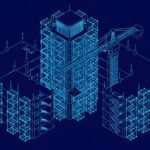
- Install formwork, reinforcement, and concrete for columns, slabs, walls, and cores. Complete exterior envelope including walls, roofing, windows, and MEP rough-ins with coordinated penetrations and seals verified against building details drawings.
Finishes & Monitoring
- Apply interior partitions, flooring, ceilings, painting, and fixtures using architectural details. Conduct weekly progress meetings, manage RFIs for clarifications, and process change orders through Autodesk Construction Cloud. Implement safety protocols, quality inspections, and sustainability compliance (e.g., LEED).
- Use Navisworks TimeLiner for 4D simulations and real-time progress tracking against the schedule.
- Duration: 6-24 months (project-dependent); Milestone: Topping out or mechanical completion.
Commissioning & Testing Stage
- Develop a commissioning plan covering HVAC, electrical, plumbing, fire suppression, and elevators. Perform functional performance tests: airflow balancing, pressure testing, and load banking for backup systems.
- Coordinate integrated systems testing (BMS integration) with vendor support and third-party verification. Address punch list items—defects, incomplete works, or deviations from building details drawings—and conduct operator training on systems, controls, and maintenance procedures.
- Secure temporary occupancy permits and final utility approvals from authorities.
- Key outputs: Commissioning reports confirming all systems operational.
- Duration: 1-3 months.
Handover & Closeout Stage
- Conduct final walkthroughs with the owner, consultants, and contractor to verify substantial completion. Deliver as-built drawings (updated building details drawings in Revit), O&M manuals, warranties, keys, and spare parts for asset management.
- Obtain Certificate of Occupancy (CO) and release retainage after lien waivers from all subcontractors. Finalize financial closeout: reconcile accounts, process final payments, and settle claims or disputes.
- Conduct a post-project review with lessons learned and KPI analysis (schedule variance, cost performance index). Transition to facility management team with BIM handover for asset tracking, maintenance planning, and future renovations using centralized equipment databases.
- Duration: 1-2 months; Milestone: Practical completion and project demobilization.
Post-Construction Operations (Lifecycle Stage)
- Monitor building performance for 12 months under defects liability period, supporting warranty claims and minor adjustments based on as-builts. Feed data into digital twin platforms for predictive maintenance, energy optimization, and long-term asset value.
- Document project successes and challenges for bid library improvements and continuous process enhancement.
Integrating Building Details Drawings & BIM Across Stages
| Stage | BIM Application |
| Initiation | Preliminary details for feasibility and cost accuracy |
| Pre-Construction | Coordinated details for tender and fabrication shop drawings |
| Execution | On-site quality control and installation verification |
| Commissioning | Verify installations match details; update for as-builts |
| Handover | Deliver coordinated as-built models for facility management |
- Autodesk Revit, Navisworks, and Construction Cloud enable seamless information flow across all project phases.
Why Master stages of a project in construction?
- Sequential phases optimize cash flow, resource allocation, and stakeholder alignment throughout the project lifecycle. BIM workflows reduce RFIs by 30%, minimize rework by 25%, and improve schedule predictability through 4D simulation and real-time coordination.
- For firms like AMC Engineer, phase expertise delivers precise modeling, clash-free building details drawings, and on-time handovers that elevate AEC project outcomes.
💡 Pro Tip: Effective BIM management across all construction project stages ensures seamless coordination, reduces errors, and maintains data integrity from design through facility operations. Learn how to implement robust BIM management workflows for your projects. {Contact US}